


April 7, 2026
[AU] April Product Update
This month's update is headlined by FBT automation — bulk employee worksheet creation and automated declaration generation now streamline what was previously a repetitive process. Alongside this, you'll find improved journal workflows, a new configurable information banner for binder templates, and a broad set of worksheet fixes and annual updates across FBT, tax returns, GST, and CGT. On the platform side, bulk client deactivation and cleaner filter handling reduce admin overhead, while Ledger & Reporting introduces an Opening Balance Wizard and real-time dataset change notifications to keep binders current. Active Documents also enters its first beta phase.

NEW FEATURES
FBT Automation — Employee Setup & Declaration Generation
FBT binders now support automated employee setup and declaration generation, reducing manual preparation across the full FBT workflow.
Bulk Create Employee Worksheets
Adding employees to your FBT binder is now a single bulk action instead of a per-employee manual process.
Setting up employee worksheets in your FBT binder is now a single bulk action instead of a per-employee manual process.
When your FBT binder is connected to a Xero payroll file, employee details are automatically retrieved and ready to insert as worksheets into the binder. For FBT clients not connected to Xero, employees can be bulk uploaded via CSV or entered manually in the new grid interface.
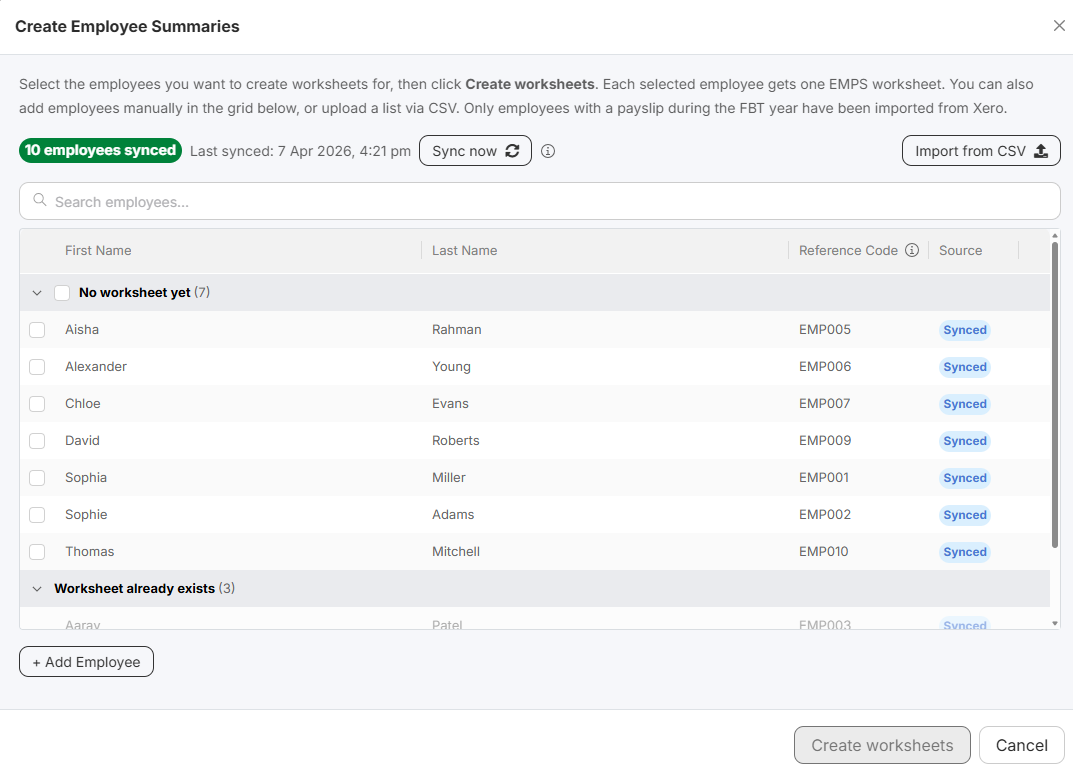
What this means for you:
- Create worksheets for an entire workforce in one step — no rekeying required
- Xero-connected binders pre-populate employee names and details automatically
- Significantly less data entry time and reduced risk of errors
Users may be prompted to re-authorise the Xero connection to enable payroll data access.
Automated FBT Declarations
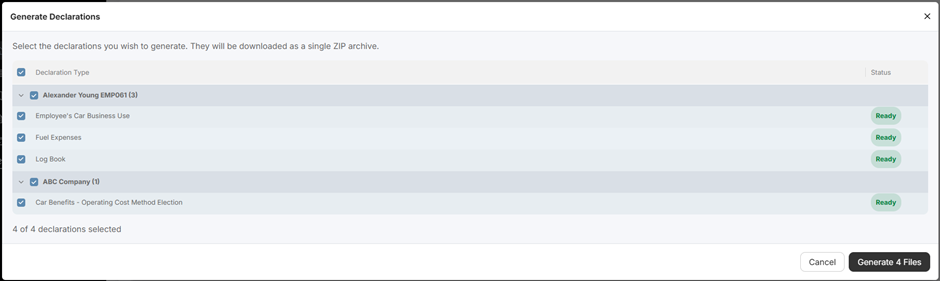
Generate client-ready FBT declaration documents automatically, directly from your completed benefit worksheets.
Once benefit worksheets have been completed, declarations are generated by pulling data from your completed worksheets. Nine benefit worksheet types are supported, including Car, Loan, LAFHA, Expense Payment, and Residual — covering the most common declaration scenarios. For the full list of supported worksheets, refer to support article How to use the FBT Binder.
What this means for you:
- Declarations are ready to include in your client compilation package as soon as worksheets are complete
- Eliminates manual document preparation for each employee and benefit type
- Reduces review time with consistently-structured, data-driven output
Improvements
Import adjustment journals into EJ01 Journals worksheet
Import journals raised in Active directly into the EJ01 Journals worksheet for centralised review and record-keeping — no manual re-entry required.
Binder Information Section
Firm administrators can now configure an information banner on the General tab of any binder template — providing preparers with step-by-step guidance, key instructions, or links to knowledge articles right where they start their work.
Balancing Journal Export — Net or Separate View
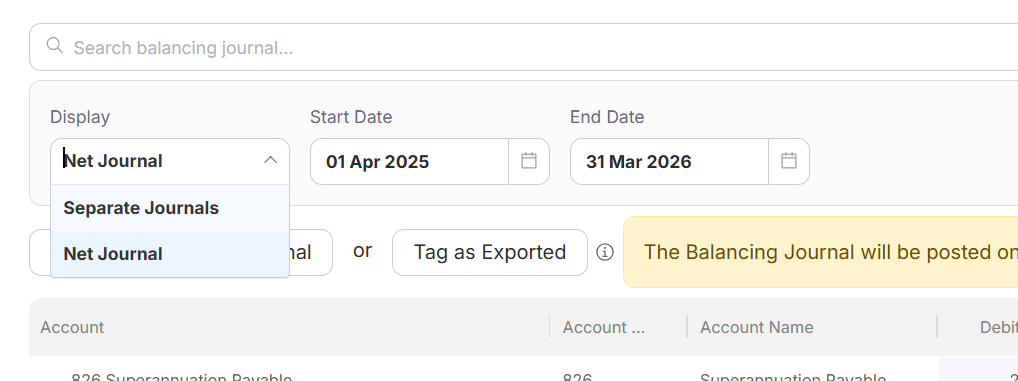
Choose how adjustment journals are structured when exporting the Balancing Journal back to your source ledger.
A new view selector is available when exporting the Balancing Journal. Whichever option you choose, a single balancing journal is created in your source file — the difference is how the line items within it are structured. Net Journal consolidates multiple adjustments to the same account into a single line. Separate Journals includes each adjustment as its own line item.
Use Net Journal for a cleaner ledger view, or Separate Journals when you need a full audit trail of each individual adjustment.
WORKPAPERS CONTENT
Improvements
FBT Worksheets — 2026 Annual Review
The following FBT worksheets have been updated as part of the 2026 annual review:
- EMPS Employee Summary — Employee name now auto-populate when employees are added via the new Bulk Create Employee Worksheets feature.
- FB05 Meal Entertainment Fringe Benefits — When added to a trial balance account, transactional data now populates the worksheet automatically. Preparers can now record the purpose of the entertainment and break down attendees by staff and clients.
- FB17 FBT Instalments Paid — Quarterly FBT instalment amounts now automatically populate from the J50 BAS Lodgements worksheet, eliminating manual entry.
- FB18 FBT Return Overview – renamed from FBT Summary to improve clarity across the FBT binder.
- FB19 All Employees Summary — Now includes a State or Territory breakdown of taxable fringe benefits, supporting payroll tax and workers compensation reporting based on each employee's location. Option to display only completed items. Renamed from FBT Employee Summary to improve clarity across the FBT binder.
- TR_2 FBT Rates — Tax rates updated for the 2026 FBT year.
- CL8A FBT Detailed Checklist — Reviewed and updated for the 2026 year.

LEDGER & REPORTING
Opening Balance Wizard
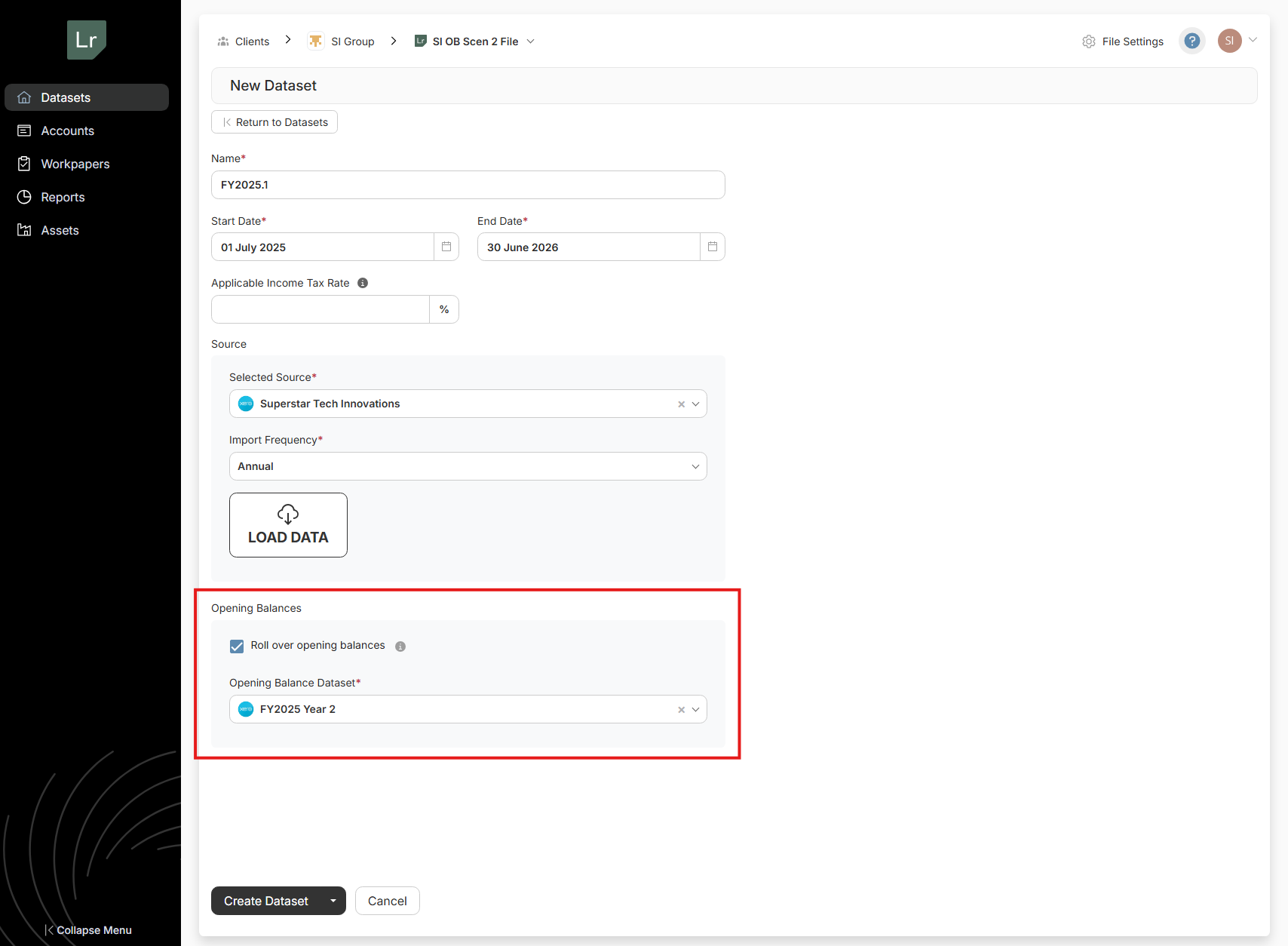
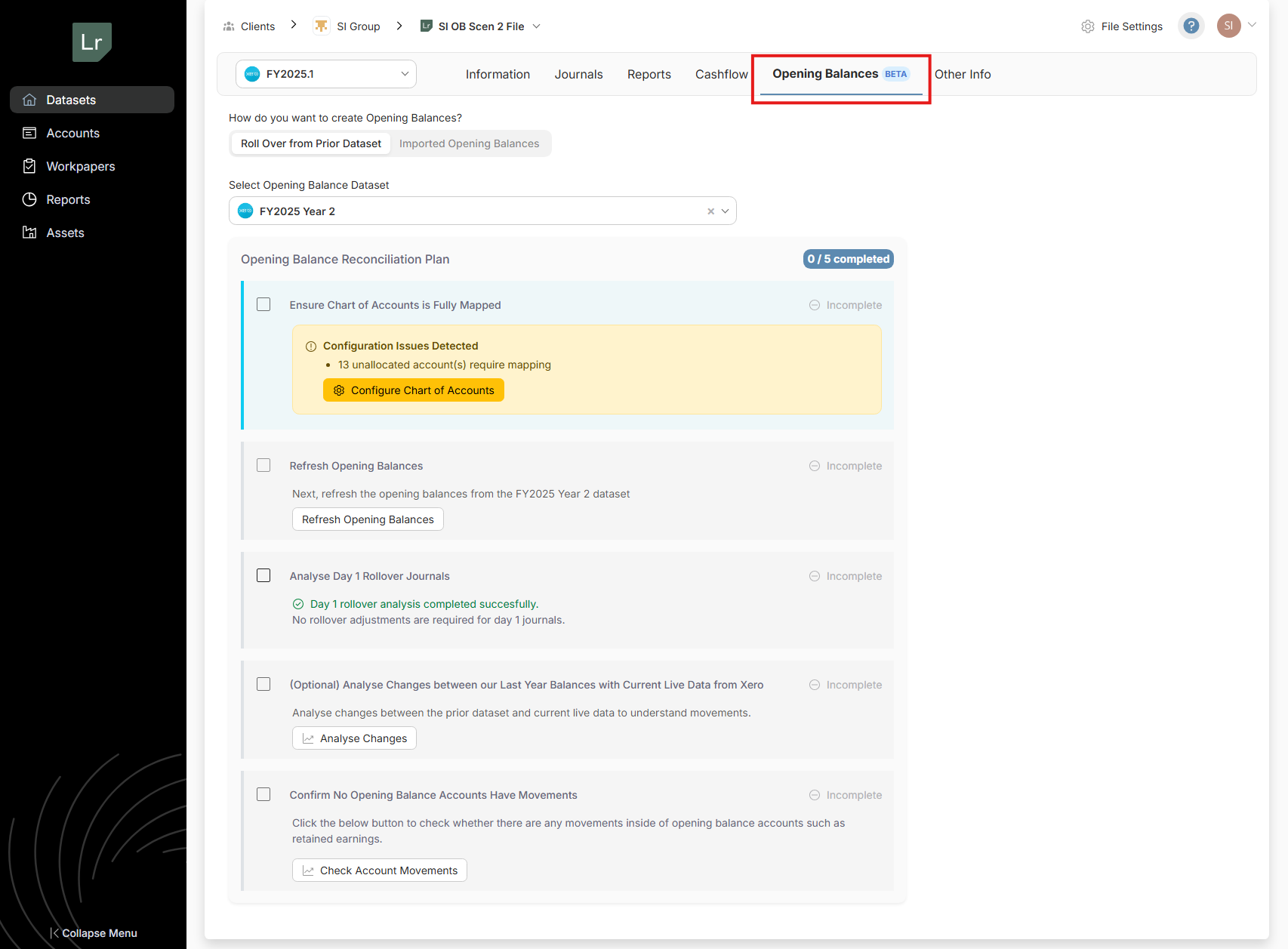
We’ve introduced a guided Opening Balance Wizard to help you set up accurate opening balances with confidence. The wizard walks you through key scenarios—such as retained earnings, dividend clearing, and day-one adjustments—ensuring only the correct balances are brought forward into the new financial year.
By guiding you through validations and common edge cases, this feature reduces setup time, minimises errors, and gives you full transparency over how your opening balances are calculated—so you can start with clean, reliable data from day one.
To get started, simply select the Opening Balance Dataset in the New Dataset setup:
Or, navigate to the 'Opening Balances' tab to work through the wizard based on your specific scenario:
Improvements
Real-Time Dataset Change Notifications in Binders
Based on customer feedback, users will now receive notifications within a binder when changes are made to a connected dataset. A link to refresh the binder is provided, allowing users to quickly update and reflect the latest data without leaving the binder, ensuring seamless workflow and data accuracy.
Chart Sets
Users can now add a new chart set in the admin centre to allow the use and management of multiple Chart Sets within their Standard Chart of Accounts.
Remaining Amount Now Visible in Distributions
We’ve added greater visibility to the Distributions screen to help you allocate amounts more confidently.
Under Datasets → Other Info → Distributions, you will now see a new Remaining Amount field. This displays the balance that has not yet been allocated within the distributions table.
This field is purely informational and updates automatically as you allocate amounts, making it easier to identify any out-of-balance amounts and ensure distributions are fully allocated before finalising your work.
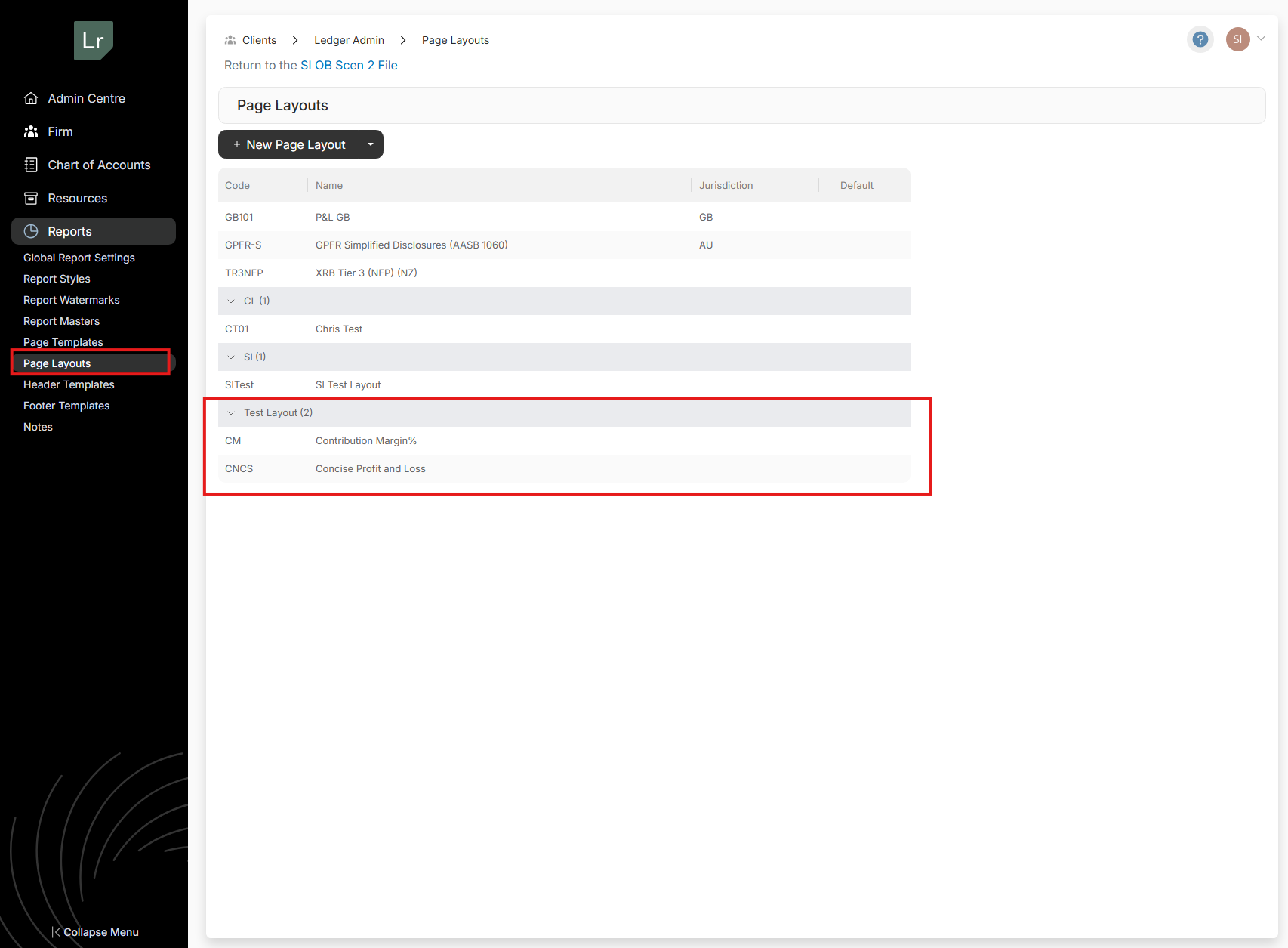
Grouping Page Layouts
Users can now create groupings when creating page layouts in the Admin centre for better organisation
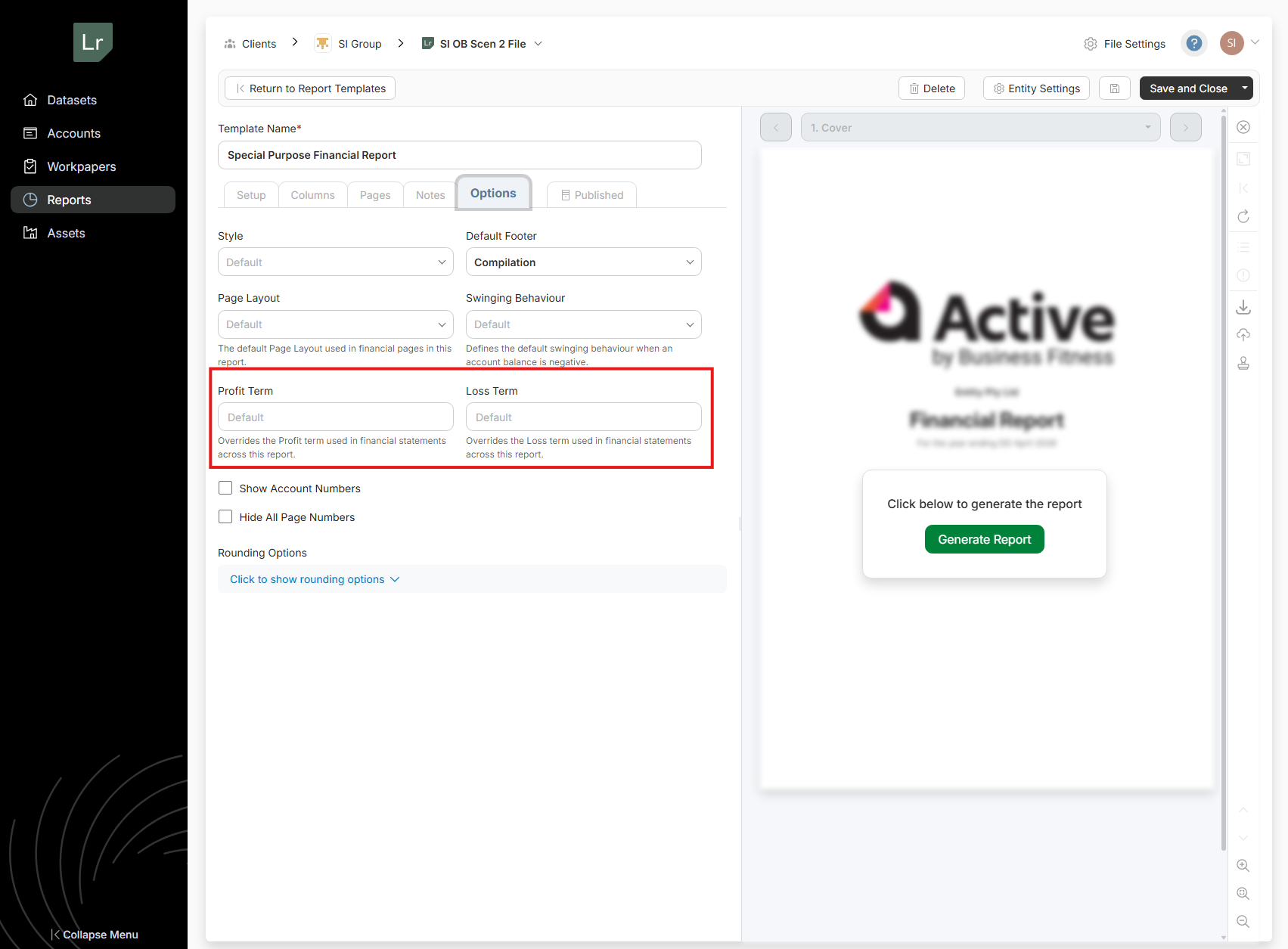
Report Level Editing of Profit & Loss Terms
Users can customise the profit and loss terms on a report level under the ‘Options’ tab. Simply enter your desired Profit and Loss terminology in this section to apply the change across the selected report.

ACTIVE PLATFORM
Improvements
Bulk Deactivate Clients
Admin users can now select and deactivate multiple clients in a single action. When a client group is deactivated, all of its child clients are also deactivated.
To deactivate clients in bulk, select Edit Clients from the menu (⋯) in the Quick Access or All Clients section. Once in edit mode, select the clients to deactivate and click Set Inactive.
What this means for you:
- Deactivate multiple clients at once instead of repeating the same action individually
- Client groups and their child clients stay in sync
- Bulk deactivation of clients is only available to admin users
- Filter Improvements
- Filters with multiple values selected are now easier to read and use.
When multiple values are applied to a filter, selections are now summarised in a compact format, keeping the filter bar clean regardless of how many values are active.
A dedicated search field is also available within each filter dropdown, so searching for values is no longer obstructed by your current selections.
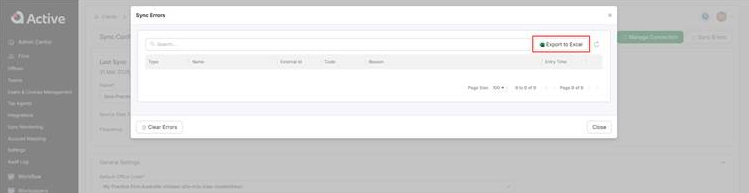
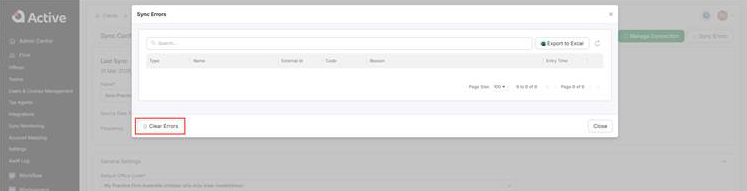
Add ‘Export to Excel’ option for sync errors
Your firm's sync errors can now be exported to Excel directly from the integration page.
Added ability to clear sync errors
Sync errors can now be cleared from the integrations page with the Clear Errors button, keeping your error log focused on active issues only.
get activated

Active is a cloud platform delivering accounting automation by reducing friction through workpaper and financial reporting processes.