


February 25, 2026
[NZ] February Product Update
This month’s update focuses on speeding up preparation and review, reducing manual cleanup, and improving reliability across Workpapers, Ledger & Reporting, and the Active Platform. You’ll see quicker drilldowns into source data, stronger automation across tax workflows, and a range of improvements that enhance accuracy and trust.

NEW FEATURES
Review Xero source data without breaking your flow
Transaction lists in supported workpapers now include direct hyperlinks back to the original transaction in Xero. From your General Ledger Analysis and similar workpapers, you can open the exact invoice, bill, or bank transaction with a single click.
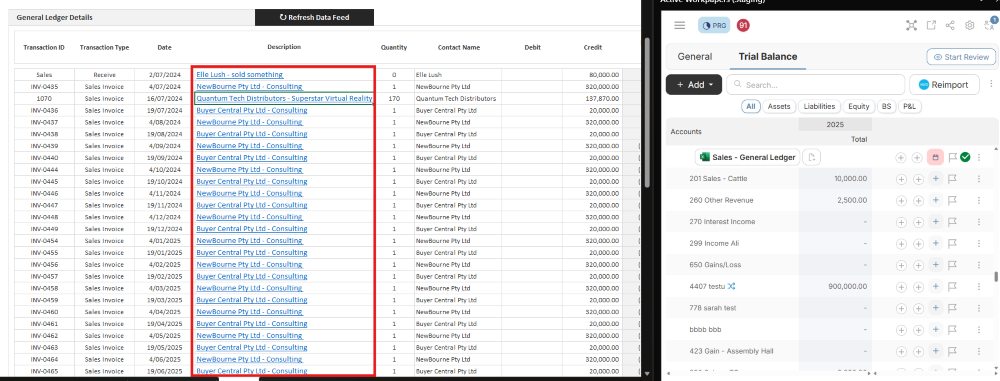
What this means for you:
- Faster verification of source data during reviews
- Less screen switching and manual searching
- A smoother, more efficient review process
The following transaction types are not currently supported:
- Payroll
- Depreciation
Create Custom Binder Types
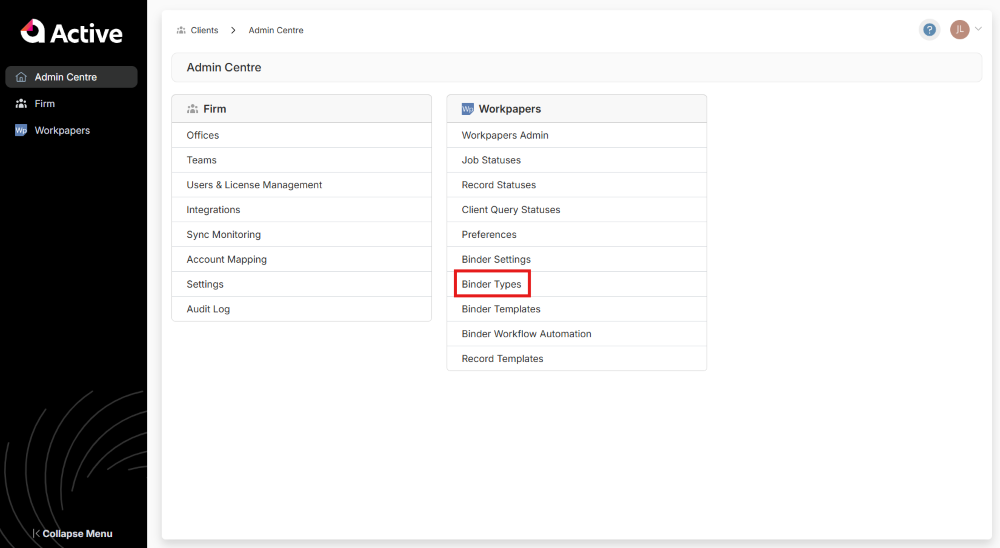
Match your binder structure to the way your firm works. You can now create Firm Level Binder Types, giving you more control over how work is organised.
What has improved:
- Custom binder types can drive their own record recommendations - ensuring your team sees suggestions that are relevant to the job at hand, rather than generic recommendations based on system defaults.
- More relevant suggestions for each engagement
- Less noise from system default recommendations
Firm Administrators can set up new Binder Types in Admin Centre > Binder Types (Workpapers).

NEW FEATURES
Copy & Paste Report Content
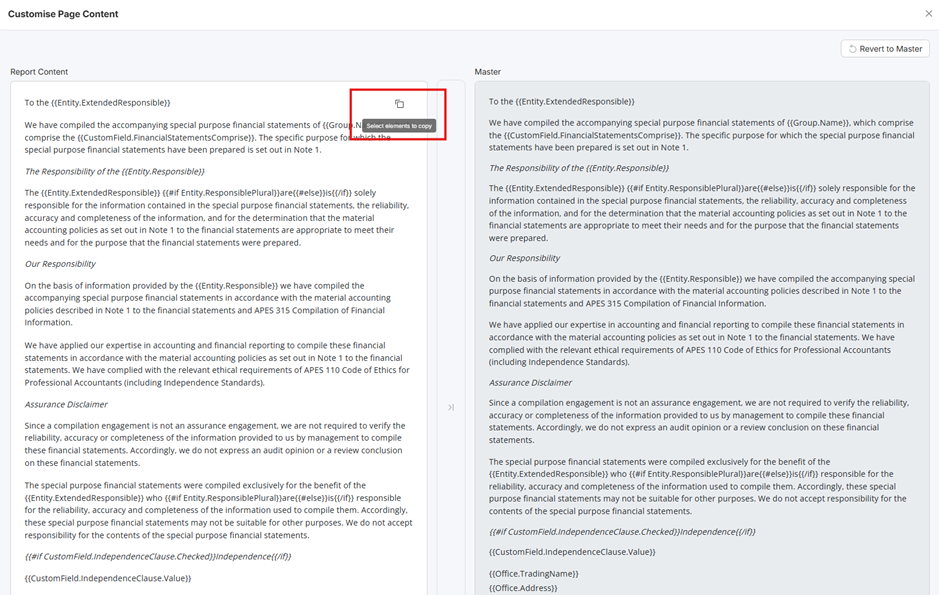
You can now copy and paste content within a report or between reports using the ‘Edit Content’ modal.
What this means for you:
- Faster report authoring
- Less rework when reusing standard disclosures or commentary
Horizontal View of Accounts
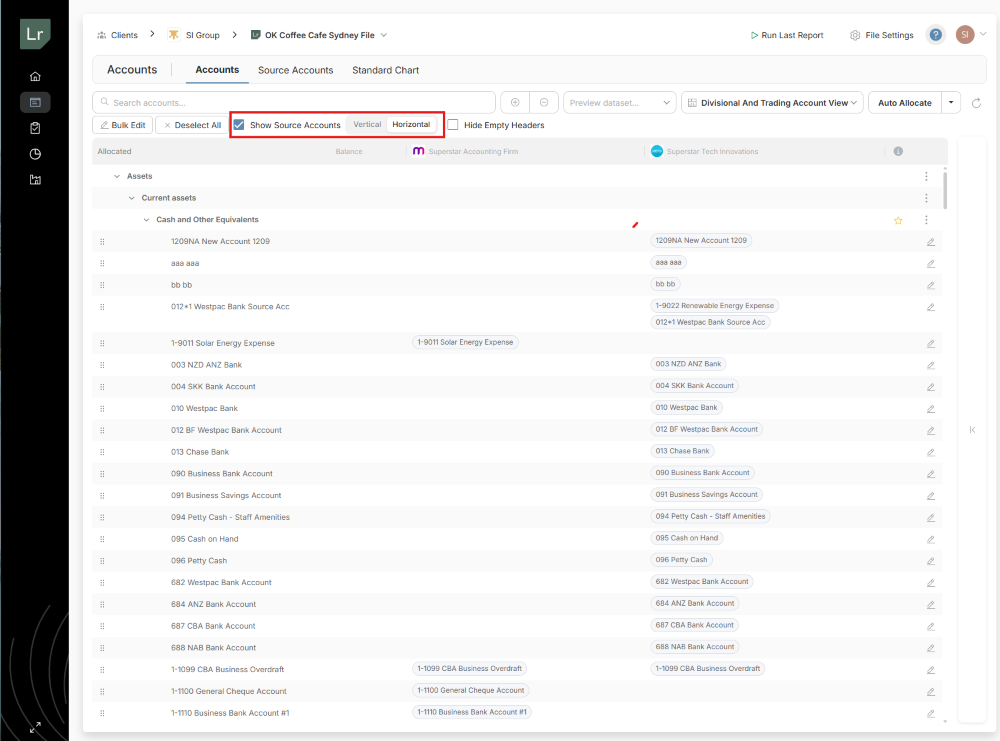
A new horizontal view is available in the Accounts screen, making large datasets easier to review.
What has improved:
- Reduced scrolling for wide datasets
- Easier analysis when working with complex files
The toggle becomes available once ‘Show Source Accounts’ is enabled.
IMPROVEMENTS
- Corporate Secretary in Responsible Persons: Corporate secretaries can now be added as nongoverning Responsible Persons, clearly distinguishing them from directors.
- Filter to see Used Headers Only: A new ‘Hide Empty Headers’ option reduces clutter in the Accounts screen, making charts of accounts easier to navigate.
- Improved Workflow for Customising Report Content: The ‘Show in Template’ action now guides you directly to the relevant customisation screen, reducing clicks and improving efficiency.
get activated

Active is a cloud platform delivering accounting automation by reducing friction through workpaper and financial reporting processes.